
Demystifying Memory Cards: From Basics to Best Buys
In the world of digital photography, the quest for storage can feel as vast as the great plains themselves. As we hunters and gatherers of moments and memories venture forth into the wilds of tech-specs, one essential tool is our trusty memory card. However, navigating the dense underbrush of branding, speed classes, and storage capacities can be as daunting as identifying the myriad flora and fauna.
What is a Memory Card?
A memory card is a small, portable data storage device used in devices like digital cameras, mobile phones, and action cameras to capture, store, and transfer digital content. When you capture a photo or video, the content is saved onto your camera’s memory card.
Ensuring you select the correct memory card for your device is not just a matter of convenience; it’s a necessity for optimal performance and reliability. Different gadgets have specific card requirements not only in terms of size and form factor but also in compatibility and speed capabilities. For instance, a high-end digital camera may necessitate a card with fast data processing speeds to efficiently handle rapid-fire photo shooting or high-definition video recording. Using a card that falls short in speed can lead to slower photo capture rates, lengthier data transfer times, and even the potential loss of precious moments if the card fails to keep up. Therefore, checking your device’s specifications before purchasing a memory card can save you from frustration, ensuring seamless operation and the protection of your digital memories.
Memory Card Types Explained

There’s more to them than meets the eye. Memory cards come in different shapes and sizes, each tailored to meet the demands of various electronic devices. Familiarizing yourself with these types is the first step in choosing the right card for your needs.
MicroSD Card

The microSD card is one of the smallest memory cards available, originally designed for smartphones and other small electronics. Despite its size, microSD cards can offer massive storage, with some now reaching terabytes. They are particularly common in drones, action cameras, mobile phones and gaming.
Secure Digital (SD)

One of the most prevalent types, the SD card, is easily recognizable by its shape and size. These come in a variety of storage capacities and are found in everything from digital cameras to laptops, with the standard and micro sizes available.However are limited to 32GB.
SDHC (Secure Digital High Capacity)

An improvement on the SD, the SDHC card offers higher storage capacities, starting where SD cards reach their limit (32GB) and extending to the 2TB cap.
SDXC (Secure Digital Extended Capacity)
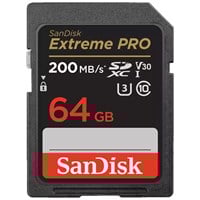
For even more space, the SDXC card has a ceiling of 2TB and is ideal for those who never want to worry about running out of space, or for someone capturing high-definition video. These tend to have better read and write speeds than the SDHC. Making them ideal for professional photographers.
UHS (Ultra High Speed)

The UHS designation indicates that the card offers increased read and write speeds. UHS-I has a maximum data transfer rate of 104 MB/s, while UHS-II and UHS-III offer even higher speeds, suitable for devices that require higher bandwidths like 4K video cameras and high-resolution still cameras.
Memory Stick

Initially developed by Sony, the Memory Stick is a proprietary format but has found uses in some high-end cameras and handheld game consoles. It’s less common now due to the prevalence of SD cards.
CompactFlash (CF)
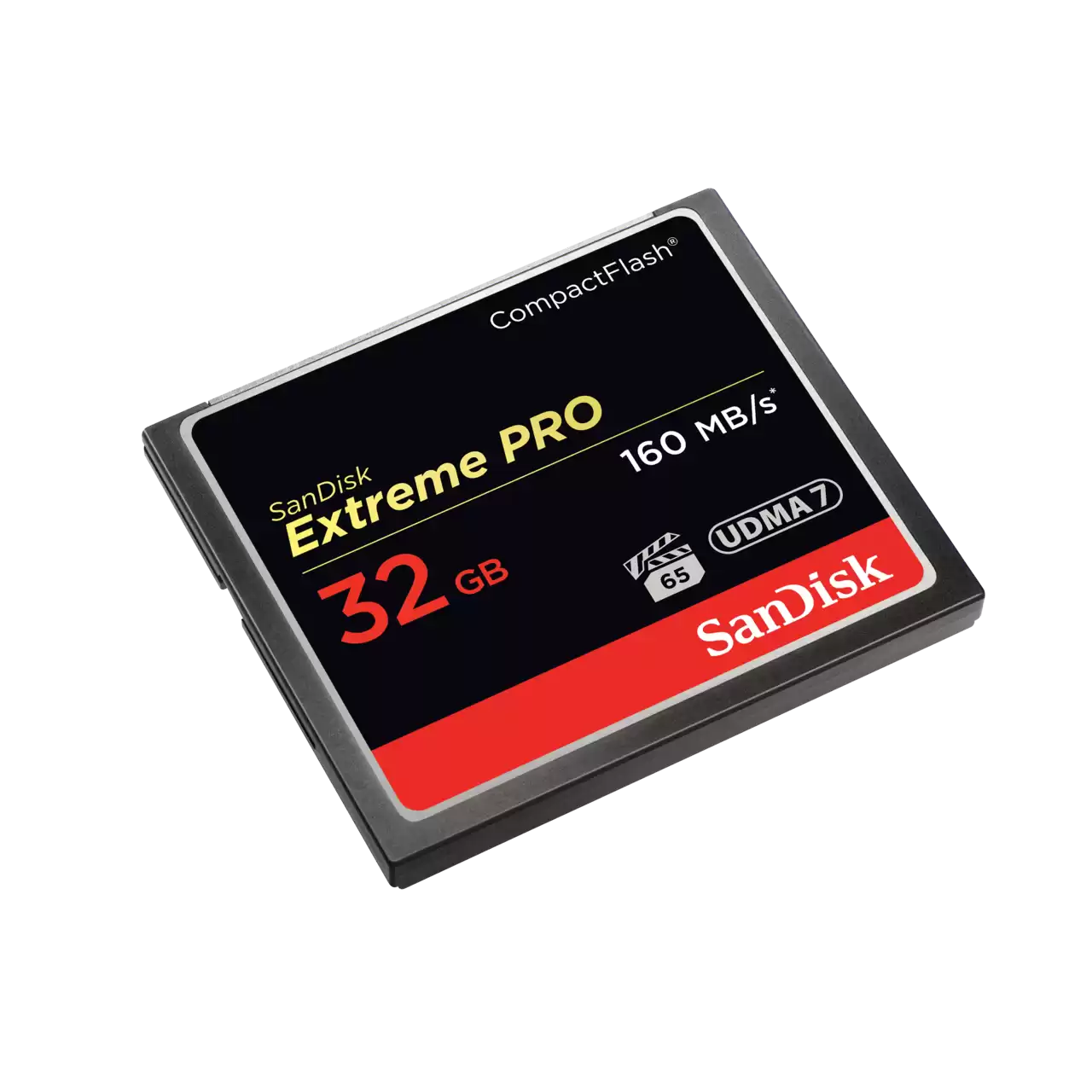
Once the workhorse of professional photography and a staple in top-end DSLRs, CF cards are larger but often offered better speeds and durability. These larger cards also allowed for higher capacities on average before the advent of SDXC.
CFast

A faster evolution from the CF, CFast is a variant memory card. It’s larger again but offers faster read and write speeds, ideal for professional-grade video equipment and digital cinema cameras.
CFExpress
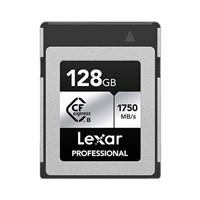
Another innovation intended to create a bridge between the now-legacy Compact Flash format and modern standards, CF Express type offers ultra-fast speeds and high capacities for the latest high-performance cameras and devices.
XQD

One of the short-lived formats, XQD cards intended to replace CompactFlash in high-performance devices. Even though it hasn’t seen widespread adoption, some high-end cameras still rely on XQD.
Memory Card Symbols and What They Mean

The front of a memory card is like a sign at the entrance of a hiking trail – it tells you what terrain lies ahead and how challenging the path might be. Understanding these symbols will help you choose a card that’s compatible with your camera and optimized for the right performance.
- 1 – Memory card type
- 2 – Memory card capacity
- 3 – Memory card speed class
- 4 – Video Speed Class
- 5 – Bus Speed
- 6 – Maximum read speed
- 7 – Lock
- 8 – Memory Card Brand
Memory Cards Capacity
The storage space denoted in gigabytes (GB) tells you how many photographs or how much video footage you can store. Bigger the number, the more they hold.
| Resolution | 64GB Memory Card | 128GB Memory Card |
| 10 MP Photo | 21000 | 42500 |
| 16MP Photo | 13000 | 26500 |
| 22MP Photo | 9650 | 19000 |
| 720p (30fps)* | 352 mins | 704 mins |
| 1080p HD Video (30fps)* | 244 mins | 488 mins |
| 4k Video (30fps )* 100Mbps | 132 mins | 264 mins |
| 4k Video (60fps )* | 65 mins | 130 mins |
Each memory card type comes with its own set of capacity limitations, which can greatly influence your choice dependent on your specific storage needs.
- MicroSD cards, despite their diminutive size, now boast capacities up to several terabytes (TB), accommodating a vast amount of data and making them suitable for devices requiring high storage within a small form factor.
- Secure Digital (SD) cards offer a more modest range, typically maxing out at 2GB. This makes them suitable for basic photography and digital storage but less ideal for high-definition video recording or extensive photo shoots.
- SDHC cards pick up where SD cards leave off, with capacities ranging from over 2GB up to 32GB. They are better suited for high-definition video and high-resolution photography.
- SDXC cards represent the high end of capacity, starting at 32GB and reaching up to 2TB, catering to professionals and anyone needing to store large quantities of high-definition media. This is the most common memory card for cameras.
- UHS cards, while primarily focused on speed, also tend to offer high storage capacities similar to SDXC, designed to support data-intensive tasks like 4K video recording.
- Memory Sticks, Sony cameras introduced the memory stick back in 1998 and then the Duo version for smaller electronics. These are proprietary formats that have typically offered lower storage capacities ranging from 4GB to 64GB.
- CompactFlash (CF) cards traditionally offered higher capacities early on, with modern versions supporting up to 512GB of storage, tailored for professional photographers and videographers who need durable cards with ample space.
- CFast cards push the envelope further in the professional range, accommodating similar capacities to modern CF cards but with enhanced speed for more demanding video formats.
- CFexpress cards lead the pack in terms of both speed and capacity, with the latest versions offering up to several terabytes of storage, meeting the needs of cutting-edge digital cinema cameras.
- XQD cards, although a less common format, provide capacities up to 1TB, designed to meet the storage demands of high-resolution image formats and high-bitrate video.
Understanding these capacity limitations is crucial when selecting a memory card, as they directly impact how much content you can store and thereby influence your workflow and productivity in digital content creation.
Understanding a Memory Card Speed
Understanding the speed of a memory card is as crucial as its capacity, particularly when you’re dealing with high-resolution photography or high-definition video. The speed of a memory card is often indicated by its “Class” and “UHS (Ultra High Speed) Bus interface.” These parameters essentially determine how fast data can be written to and read from the card, which directly impacts the performance of tasks such as continuous shooting or recording 4K video.
| Minimum Write Speed | Speed Class | UHS Speed Class | Video Speed Class |
| 2MB/s |  Class 2 (C2) Class 2 (C2) | ||
| 4MB/s |  Class 4 (C4) Class 4 (C4) | ||
| 6MB/s |  Class 6 (C6) Class 6 (C6) |  Class 6 (V6) Class 6 (V6) | |
| 10MB/s |  Class 10 (C10) Class 10 (C10) |  Class 1 (U1) Class 1 (U1) |  Class 10 (V10) Class 10 (V10) |
| 30MB/s |  Class 3 (U3) Class 3 (U3) |  Class 30 (V30) Class 30 (V30) | |
| 60MB/s |  Class 60 (V60) Class 60 (V60) | ||
| 90MB/s |  Class 90 (V90) Class 90 (V90) |
- Memory Card Speed Class is designated by a number inside a circle (e.g., Class 2, Class 4, Class 6, Class 10), which represents the minimum write speed in megabytes per second (MB/s). For example, a Class 10 card guarantees a minimum write speed of 10MB/s, making it suitable for HD video recording.
- Memory Card UHS Speed Class is indicated by a number inside a ‘U’ shape (e.g., U1 or U3), with U1 representing a minimum write speed of 10MB/s and U3 representing 30MB/s. These classes are ideal for 4K or 2K video recordings.
- Video Speed Class is a newer classification that includes V6, V10, V30, V60, and V90, where the number represents the minimum sustained write speed in MB/s. V60 and V90, for instance, are tailored for high-resolution and high-bitrate video formats.
Additionally, the BUS interface of a card, such as UHS-I, UHS-II, or UHS-III, further defines the maximum theoretical data transfer rates. UHS-II cards have a second row of pins that allow for transfer rates up to 312 MB/s, while UHS-III supports speeds up to 624 MB/s. It’s important to note that the full speed benefits of UHS-II and UHS-III cards can only be realized if both the memory card and the device support the same interface.
Ultra DMA Rates

Ultra DMA is another term you may encounter on compact flash cards. This predates UHMS and designates how fast data can be read from the card, not written to it. It’s marked as a number inside a ‘U’ shape. Cards labeled with DMA or MDMA are out of date.
App Performance
A card deemed ‘A1’ offers a minimum input-output operations per second (IOPS) for running apps from your card, often used in smartphones and tablets. If you’re a mobile content creator, look for this rating on your card.
In essence, selecting a memory card with the appropriate speed class and BUS interface is critical for ensuring that your device operates efficiently, enabling smooth, uninterrupted video recording and rapid-fire shooting without the bottleneck of slow data write speeds.
Memory Card Brands and Recommendations
When it comes to memory cards, trusted brands are worth their weight in gigabytes. Brands like SanDisk, Samsung, Prograde, Sony or Lexar have built reputations for reliable, high-performance cards. When selecting a card, it is often best to opt for a brand that’s known for its quality and offers warranty support.
Best Memory cards for cameras / photographers:
- SanDisk Extreme PRO CompactFlash Memory Card – | US | UK
- ProGrade Digital CFast 2.0 Gold Memory Card– | US | UK
- Sony XQD M Series Memory Card – | US | UK
Best Memory cards for videographers:
- Lexar Professional 2000x SDXC UHS-II/U3 Card – | US | UK
- Samsung PRO Endurance microSDHC/microSDXC UHS-I Card – | US | UK
- ProGrade Digital CFexpress 2.0 Gold Memory Card – | US | UK
Best Memory cards for mobile content creators:
- SanDisk Extreme PLUS microSDXC UHS-I card – | US | UK
- Kingston Canvas React Plus SDHC/SDXC Class 10 UHS-II Card – | US | UK
- Samsung EVO Select microSDXC UHS-I U3 Card – | US | UK
Best Memory cards for Nintendo switch and other handheld gaming:
- SanDisk Extreme microSDXC UHS-I Card for Nintendo Switch – | US | UK
- Samsung Evo Plus 256GB MicroSDXC UHS-I Card with Adapter – | US | UK
- Lexar High-Performance 633x SDHC/SDXC UHS-I Cards – | US | UK
Best Memory cards for gopro and dashcams:
- SanDisk Extreme microSDXC UHS-I Card – | US | UK
- Samsung PRO Endurance microSDHC/microSDXC UHS-I Card – | US | UK
- Lexar Professional 1000x microSDHC/SDXC UHS-II Cards – | US | UK
Memory Cards & Readers
Having the right equipment doesn’t end with picking the perfect memory card; readers are just as important. They ensure a quick and stable transfer of your files. USB 3.0 card readers are a must for those working with large volumes of data due to their faster transfer speeds compared to USB 2.0 readers.
Memory cards and adapters
Memory Card Tips & FAQ
No gear guide is complete without some trail wisdom. Here are a few tips to keep your memory cards in top shape and your data safe.
How to Store Memory Cards
Keep your cards in a protective case to avoid damage and data corruption. Extreme temperatures, both hot and cold, can affect a memory card’s performance or cause it to fail over time. Store them as you would any piece of valuable equipment.
Do NOT Erase Images from Your Memory Card in Your Camera!
Surprisingly, this can cause fragmentation, making it harder for your camera to save subsequent images. Use your computer to delete photos instead.
Format Your Memory Cards in Your Camera, Not on Your Computer
This ensures you’re using the right filesystem and structure for your camera model, and removes all old files, reducing the risk of errors and corruption.
Don’t Fill a Card Completely
Try to avoid using all the space on your card. Dropping a photo or video if your card is full can lead to incomplete files or unpredictable behavior. Plan to change cards while you have a buffer.
What is the best memory card for slow motion video?
Choosing the right memory card for capturing slow motion video at 120 frames per second (fps) is critical to ensure smooth recording without any loss of quality. For recording slow motion footage at 120fps, it’s important to focus on both the write speed and the speed class of the memory card. Look for memory cards that offer a UHS Speed Class of 3 (U3) or a Video Speed Class of V30 or higher. These classes are designed to handle the high data rates required for 120fps recording, ensuring that your video is captured crisply without any dropped frames. Additionally, opt for a card with a fast write speed, ideally one that exceeds 30MB/s, to keep up with the rapid data write requirements of slow motion video. Remember, while capacity is important, the speed of the card is paramount when it comes to recording high frame rate video to ensure that all your moments are captured flawlessly.
What is the best memory card for 4K video?
Choosing the right memory card for shooting 4K video is crucial for capturing high-definition footage without interruption. When selecting a card for 4K video, the primary factors to consider are the card’s write speed and its capacity. A card with a UHS Speed Class of 3 (U3) or a Video Speed Class of V30 or higher is essential for 4K recording, as these classes are designed to handle the substantial data rates of 4K video. The write speed should ideally be at least 30MB/s, but for higher quality 4K at 60fps or higher, look for write speeds of 60MB/s or more to ensure the video records smoothly without any drop in frames. Additionally, given the large file sizes associated with 4K video, opting for a card with a larger capacity, such as 64GB or more, will allow for longer recording times without the need for frequent card swaps. Keeping these specifications in mind when choosing your memory card will enable you to capture stunning 4K video content with confidence.
When possible, spend a little extra on a well-known brand. The savings on a ‘bargain’ card could be erased by a single lost shoot due to a faulty card.
The memory card is the unsung hero of the digital age, quietly storing away our most precious moments and empowering our devices to do wondrous things. By taking the time to understand and choose the right one, you will not only expand the functionality of your gear but ensure that your most important data is safe and accessible.
With this knowledge in hand, you’re now well-equipped to choose the most fitting memory card for your photography adventure. Happy shooting, and may your cards always have enough space for one more breathtaking memory.


