
Create Better Video Mockups for Etsy and Stand Out from the Competition
Standing out in the crowded Etsy marketplace requires that you go above and beyond with your marketing efforts. Video mockups are a fantastic way to add personality to your shop and make your products stand out. In this article, we’ll teach you how to create professional and eye-catching video mockups for your Etsy store, so you can differentiate yourself from the competition and drive more sales.
What is a video mockup?
A video mockup is a video that showcases products and adds an authentic feel to your store. Video mockups are usually created by filming short clips of products, with visuals like movement, push ins, close ups, and animations. This helps customers get an accurate idea of what the product looks like in real life, thus making them more likely to purchase your product. Keep reading to learn how to create your own video mockups that will help boost sales on Etsy.
B roll Video Ideas

When creating your video mockup, movement is key! Here are a few b roll ideas that you can use when filming your products: push in, push in wide, pull back reveal, pan reveal, push zoom, stuff on lens, twist, close up/ callout details and features, rotation/ 360, stop motion, flyover, moving light reveal, logo. With these ideas in mind, you can create a captivating video that will draw customers to your store.
How to make Video Mockups in Canva?
If you’re looking for a quick and easy way to create video mockups, Canva is the perfect solution. With its easy-to-use tools and features, you can create stunning visuals for your Etsy store in no time. Use different backgrounds, colors, and fonts to create a unique look that will make customers take notice.
- Upload photos or longer videos: Add your own images of b roll videos from various angles and make sure you batch edit them to sure.
- Add music: Consider adding music to your to your video clips to either show off your personality or connect with your ideal audience.
- Save as template: Having a series of templates saved allows you to either add your digital mockup or your latest product photos will save you so much. time
Video Mockup Ideas
Free Video Mockups for Etsy Printables
If you sell printables on Etsy, it’s important to showcase them in an engaging way. Make use of free video mockups to create visuals that will draw customers to your store. Use mobile devices show off video clips or a series of images.
Print On Demand Video Mockups
Print on demand products are one of the most popular items to sell on Etsy, and you can create compelling visuals for them with video mockups. Use different tools and techniques to show off your products in creative ways. Focus on details like colors, fonts, textures, and more!
Tshirt Mockup Video Tutorials
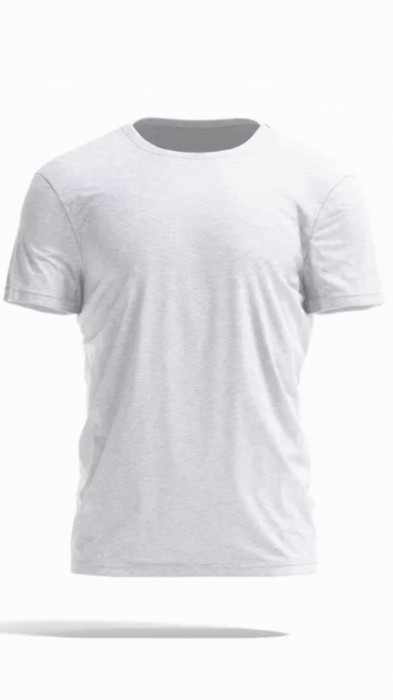
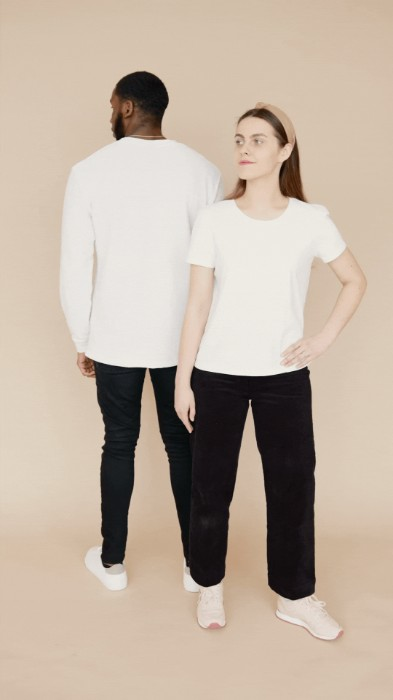
Tshirts are some of the most popular items to sell on Etsy, and you can use video mockups to showcase them in an engaging and creative way. Create tutorials that show off your products in detail and make sure to include features like close-ups, stop motion, and 360 views.
Create Video Mockups for Wall Art
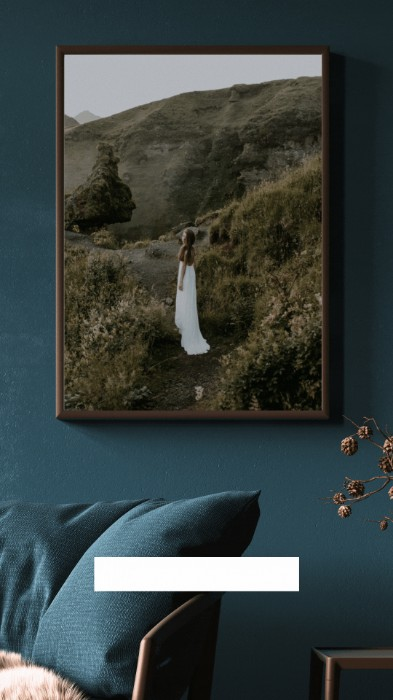
Wall art is a great way to add personality to any space, and video mockups are an excellent way to showcase your work. Create visuals that highlight the details of each piece and make sure to include close-ups for a more realistic effect. You can either use a digital picture frame or create a digital photo frame mockup to display your photos in a rotation.
FAQ Video Mockups
Should I use a Etsy Listing Video Mockup?
Using a video mockup as opposed to static photos can provide several advantages in terms of marketing materials. Videos allow potential customers to get an accurate feel for the product, as they can see how it moves and functions in its real environment. This immersive experience helps build trust with the customer and can be used to show off features that may not be visible in still photos. Additionally, video has been proven to have a larger impact on customers than still images alone, making this an effective way to market a product or service. Finally, video mockups are typically easier to produce than traditional photography, making them cost effective and efficient when it comes to creating promotional materials.
Can you put a video in a mockup?
Yes, you can put a video in a mockup. Mockups are often used to display digital assets such as videos, images, and text in an interactive way. You can use tools like Adobe Photoshop or XD to insert a video into a mockup template.
Best online mockup generators?
Placeit Video Mockup
If you’re looking for an easy way to create professional-looking video mockups, Placeit is the perfect choice. With its intuitive tools, you can create stunning visuals in no time. Choose from a variety of backgrounds, graphics, and fonts to create the perfect video mockup for your store.
With these tips and tricks, you’ll be able to create amazing video mockups that will help bring more customers and sales to your Etsy shop. Good luck!


