
Getting to know your camera
Some many people ask me but how do you know what to do when doing a photo session. It’s actually rather simple. I know, because I spend hundreds of hours getting to know how my camera works and how to fix my images when it goes wrong. (Which I can honestly say, was far too many times).
How your camera works?
If you don’t know the fundamentals of how a camera works. I strongly recommend you watch the following video. It’s awesome if you want to learn the how.
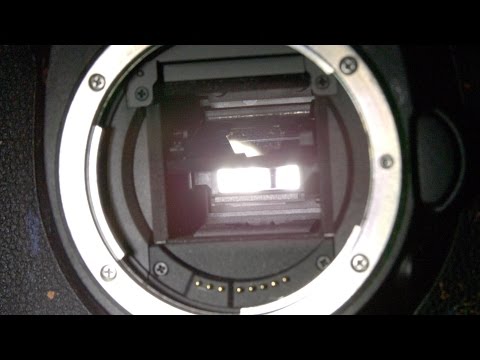
Too many buttons? Which ones do you need to learn?
Know your camera modes

There are 5 main modes on almost all DSLR cameras:
- M for manual mode = You have full control
- Av | A for aperture priority = You set your aperture and the camera will try to do the rest
- Tv | S for Shutter speed priority = You set your shutter speed and it does the rest.
- P is for program is a bit like auto as it will try to expose the shot for you but you can tweak it using ISO, white balance and metering modes.
- Auto (you may as well use your phone)
So which one should you start with. I hate to say this, but it depends on what you’re taking a picture of. Slow subject then I’d use Aperture priority. Fast subject I’d use Shutter priority. Wanna take control and be more creative than I’d use Manual.
You also need to know some basic terminology.
Aperture: How big the hole is and therefore how much of your photo is in focus and how much is blurry?
Shutter Speed: How quick is your subject and do you want to freeze the image?
ISO: How sensitive your sensor is?
Metering: A bar inside your viewfinder showing you how to correctly expose you image.
Don’t worry about remembering all of these, it comes with time.
Today’s Assignment:
Download your manual if you haven’t already and keep it on your phone. It’s always great to have a reference guide.
Know your camera focus Modes
The #1 reason you’ll get blurry images is that you haven’t focused properly. Depending on your focal length and aperture, there is a certain about of space in which you can focus.
You need to be specific about where you focus. If you’re taking a photo of a person then you almost always focus on the eye closest to you. If you’re doing landscape or product photography then you’ll need to pick where to focus based on where you want you’re viewer to focus.

How to focus on the right spot?

Step 1: Adjust your viewfinder so that you can see through it. (this is different for everyone, because everything has different ability to see.
Step 2: Ask yourself:
- Is the subject moving? This will determine which focus mode you use.
- Where do I want to focus? This will determine which focus area mode to use.
If you’re struggling to get it to focus, try one of the following.
Know your camera metering modes
Your camera has a built-in light meter and that helps it determine the exposure. However, if you’re unsure about how to work with this metering system or what ISO means for example then maybe you should take some time out of shooting pictures in order to research these concepts so as not make any mistakes when taking photos. You can learn all about metering modes here.
Understanding the histogram
What is a histogram in photography?
The histogram on your camera shows you in a graph the tonal values of your image. Ie, how much of your image is black, dark, mid, highlights and white.

How to read the histogram?
Looking at the histogram will tell you if your image is overexposed or underexposed, but remember this is purely from a pixel count and does not know what you’re photographing or if you want it that way.
What you want to avoid is peaks at the very end as this shows that you’ve lost detail, aka Clipped your image. This can not be fixed in post processing edits. However, there will be times when is unavoidable and you just need to ask yourself. Are you happy with that section being pure white / black? If the answer is yes, then you’re fine. If you want to brighten or lift it in edit you’ll need to adjust the exposure of your image before.
For more complicated scene’s you’ll need to consider exposure compensation.
Memory card and Image file formats
Most memory cards require to be formatted on their first use in a new camera. This is fine as long as the memory card is empty, otherwise you’ll lose anything already on there.
Once it’s formatted you’ll need to pick the right image file format for you.
First you’ll need to know your camera’s image file format options:
- RAW (unprocessed photograph)
- DNG (Digital Negative Format)
- JPEG (Joint Photographic Experts Group)
- HEIC/ HEIF (High Efficiency Image Container)
- TIFF (Tagged Image File Format)
- PNG (Portable Network Graphics)
- GIF (Graphics Interchange Format)
- BMP (Bitmap Image File)
- PSD (Photoshop Document)
Choosing the right image file format depends on the size of you memory card and what level of quality you want. If you want to edit your own images then really their are only two options. RAW and DNG.
Has this photography tutorial helped you to understand your camera?
Share the learning… pin it, post it, tweet it.


